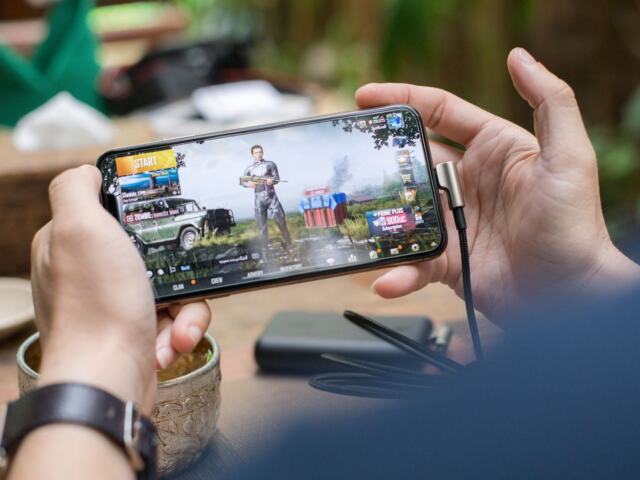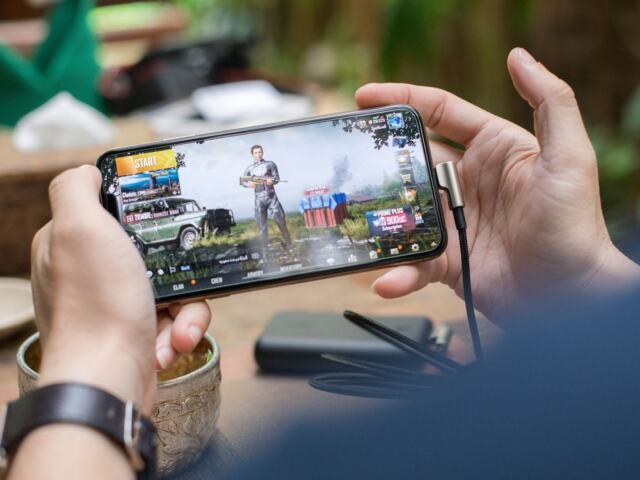

Not sure where to start with mobile games? They are games you play on a phone or tablet, and most cost nothing to install. Pick a genre you enjoy, check how it earns money, and set spending limits first.
| Item | Value |
|---|---|
| Mobile game revenue in 2025 (Sensor Tower) | $82 billion |
| Mobile game downloads in 2025 (Sensor Tower) | 50 billion |
| Change in installs from the prior year | Down 7% |
| Share of downloads that cost nothing upfront | 96% |
| Family members who can share Google Play purchases | Up to 5 others |
These figures come from Outlook Respawn’s summary of Sensor Tower’s 2026 report and Google Play Help. They can change, so check the source before you rely on them.
What mobile games are and why so many people play them
A mobile game is any game built to run on a smartphone or tablet. You get it from an app store, tap to install, and you are playing within a minute or two. There is no console to buy and no disc to find.
That low barrier explains the scale. Sensor Tower’s 2026 report, as summarised by Outlook Respawn, says mobile games generated $82 billion in revenue and 50 billion downloads in 2025. Those are store-tracked figures, and other analysts count differently, so treat any single number as an estimate.
The same summary says installs fell 7% from the prior year while revenue still edged up. Sensor Tower, via the same summary, puts revenue growth at about 1% year over year, to $82 billion. That matters to you because it shapes how games are designed: many are built to keep you coming back every day.
Mobile games suit a few situations well:
- Short breaks, such as a commute, a queue or a lunch break.
- Casual play with friends, where you take turns or play side by side.
- Trying a genre cheaply before you commit money or time to a bigger platform.
- Playing anywhere, including without a signal if the game supports it.

If you are new to all of this, the rest of this guide walks through genres, money, performance and safety in that order. Each section links to a deeper guide when you want more detail. For the wider picture beyond phones, our gaming section covers other platforms.
The main types of mobile games
Genre is the fastest way to find something you will enjoy. A full breakdown is in our guide to the types of mobile games, but the broad families are easy to learn.
Casual and puzzle games
These are the games most people picture first: match-three puzzles, word games, simple runners. Rounds last a minute or two, the rules fit in one sentence, and you can stop at any moment. They are the safest place for a complete beginner to start.
Strategy and card games
Strategy games ask you to plan, build or manage resources, often over hours or days. Card battlers and tower defence games sit nearby. They reward patience more than quick reflexes, and many let you take a turn and come back later.
Action, racing and shooters
These need fast reactions and usually a stable connection. They also push your phone hardest, so they are the genres most likely to cause heat, battery drain and lag. If you love them, read the performance section below before your first long session.
Role-playing games
Role-playing games let you build a character or a team and follow a story. Many mobile versions are free to start and use collectible characters as a way to earn money. That model has its own name and its own risks, which we cover in the next section.
Sports games
Sports titles range from quick arcade matches to full season management. If football is your interest, our guide to soccer games is a good next stop. Sports games often use online matches, so check whether the one you want works offline.
How mobile games make money
Most mobile games are free to download, and the 2026 Sensor Tower report summarised by Outlook Respawn says 96% of all downloads cost nothing upfront. The game still has to earn money, so it sells something else. Knowing what that something is lets you play without surprises.
The common models are:
- In-app purchases: you pay real money for coins, gems, extra lives, cosmetic items or an upgrade.
- Advertising: you watch a short video, often in return for a small reward, or you see banners between levels.
- Subscriptions: a monthly payment that removes ads or gives a daily bonus.
- Premium pricing: a single upfront payment, with no ads and often no further purchases.
Many games mix several of these. A free puzzle game may show ads and also sell a one-off “remove ads” purchase. If you want the mechanics in more detail, read how do in-app purchases work in mobile games.
Gacha and random rewards
Some games sell a chance at a prize rather than the prize itself. You spend currency, pull from a pool, and receive a character or item at random. If that sounds like a lottery, the comparison is fair, and it is why you should read what are gacha games before spending in one.
A simple rule helps: decide your budget before you open the game, not while a limited-time banner is counting down. If a game makes you feel rushed to pay, that is a design choice, and you are free to walk away.
Free does not always mean fair
Free-to-play games can be perfectly enjoyable without spending anything. The ones to avoid are those where progress stops completely unless you pay, or where the wait timers are tuned to frustrate you. Reading recent reviews and watching a few minutes of gameplay video will usually show you which kind you are dealing with.
Finding good games to start with
Huge numbers of titles appear in the stores, so a short checklist saves time. Before you install, look at the following:
- The age rating and content description, especially if a child will play.
- Recent reviews, not only the overall star score, since updates can change a game.
- Whether the game needs an internet connection all the time.
- The listed in-app purchase range, which both major stores show on the game page.
- The size of the download and the storage you have free.
If you want ready-made picks, our list of the best free mobile games covers titles you can enjoy without paying. Free does not mean low quality, and some of the most polished games on a phone cost nothing to start.
Playing without a connection
Not every game needs the internet. Puzzle, card, strategy and many role-playing games run happily in flight mode. That saves mobile data, avoids lag from a weak signal and helps your battery. Our guide to the best offline mobile games lists good options for trips, commutes and patchy coverage.
One caution: “offline” is sometimes only partial. A game may run without a signal but still need to connect to save progress, load ads or grant daily rewards. Test it in flight mode for a few minutes before you rely on it for a long journey.
Keeping your phone running smoothly
Mobile games ask a lot from small hardware. Three problems come up again and again: heat, battery drain and lag. They are linked, because a hot phone slows itself down to protect its parts, and slowing down feels like lag.
Heat
Phones warm up during long sessions, particularly with graphics-heavy games or while charging. If the case feels uncomfortable to hold, take a break. Our guide on how to stop phone overheating while gaming explains the common causes and fixes, such as removing a thick case and lowering graphics settings.
Battery
Screen brightness and high frame rates use the most power. Simple changes help, including lowering brightness, closing background apps and choosing a lower graphics preset. For a fuller list, see how to save battery while playing mobile games.
Lag
Lag has two main sources. One is the phone struggling to draw the game, which shows up as stuttering. The other is a poor network, which shows up as delayed taps or rubber-banding in online matches.
Try switching from mobile data to a stable Wi-Fi connection, closing other apps and freeing up storage. Our walkthrough on how to reduce lag in mobile games goes through the fixes in order, starting with the easiest.

Quick habits that help
- Keep the game and your phone’s system software up to date.
- Restart your phone now and then so background tasks clear out.
- Leave some storage free, since a nearly full phone behaves badly.
- Take a short break every so often. It rests your eyes and your phone.
Playing safely and controlling spending
Because games are one tap away from a payment screen, a few settings are worth turning on early. This matters most when children use the device, but it helps adults who want to keep to a budget as well.
On iPhone and iPad
Apple’s support page says that with Ask to Buy, a child has to ask permission to download or purchase an app or make an in-app purchase, regardless of the app’s age rating. It requires Family Sharing to be set up, and the organizer or a parent or guardian turns it on from their own device. Apple also says that, depending on the child’s state, country or region, Ask to Buy may be on by default and cannot be turned off for a child under 18. Read the details on Apple’s Ask to Buy page.
On Android
Google’s parent guide says that authentication is required before any purchase made through Google Play’s billing system from any app in the Kids section, even if you don’t usually require one. It also notes that purchase approval settings apply only to purchases made through Google Play’s billing system. The guide adds that you can share purchased apps and games with up to 5 other family members through Google Play Family Library. Start from Google’s parent guide.
Habits beyond settings
- Use a password, fingerprint or face check for every purchase, not only for children.
- Avoid saving a card on a shared device.
- Check your bank or store receipts monthly for charges you do not recognise.
- Talk with children about why random-reward pulls and countdown timers exist.
- Be careful with chat features in online games, and know how to block and report other players.
Menu names change between versions of iOS and Android, so use the official pages above for current steps. If a charge looks wrong, both stores have refund request pages, and contacting the store promptly is usually the best first move.
Terms, mistakes and a first-week plan
Common terms you will see
Mobile games come with their own vocabulary. Knowing a few words makes store pages and reviews much easier to read.
- Free-to-play: free to install, with optional purchases or ads.
- Premium: paid once upfront, usually without ads.
- Live ops: the ongoing events, seasons and updates a studio runs after launch to keep players interested.
- Energy or stamina: a meter that limits how much you can play before waiting or paying.
- Currency: the coins, gems or tokens a game uses, often bought in bundles with real money.
- Pay-to-win: a design where paying players gain a clear advantage over those who do not.
- Retention: how many players come back after their first day, a number studios watch closely.
Outlook Respawn’s summary of the Sensor Tower report says free-to-play remains the dominant distribution model, with 96% of all downloads costing nothing upfront. Live ops and retention matter to studios in that model, so a free game you enjoy may keep adding events.
Most problems with mobile games are easy to avoid once you know them. These are the ones that come up most often.
Installing too much at once
It is tempting to download every game that looks fun on the first evening. Each one adds notifications, background activity and storage use, and most will be forgotten within days. Keep a short list and remove anything you have not opened lately.
Ignoring notifications settings
Many games send reminders that your energy is full or an event is ending. Those messages are designed to bring you back. Turn off the ones you do not want in your phone’s notification settings, and keep only those that genuinely help.
Spending in the first session
The first hour of a game often shows you its best offers, with discounts on starter bundles. Play for a few days first, then decide whether the game deserves your money.
Trusting unofficial downloads
Download games from the official store for your phone. Files from random websites can contain malware or steal account details, and they will not receive proper updates. If a game is not available in your region, treat that as a reason to look for an alternative rather than a reason to take risks.
Playing through a low battery or full storage
A phone close to empty or full performs worse and can lose saved progress. Charge before long sessions, keep some storage free, and use cloud save or an account login where the game offers it. That way, switching to a new phone later will not wipe out your progress.
Choosing a device and settings
You do not need an expensive phone to enjoy most mobile games. Casual, puzzle and card games run well on modest hardware. Demanding action and racing games benefit from a newer processor and a good screen, but even they usually offer graphics options for older devices.
Before you buy anything, open the game’s settings and look for these options:
- Graphics quality presets, from low to high.
- A frame rate limit, which cuts heat and battery use when lowered.
- A battery saver or low power mode.
- Sound and vibration toggles, which also save a little power.
Using a lower preset costs you a little visual polish and gains smoother play, a cooler phone and longer sessions. For most people on a commute, that trade is well worth making.
A simple plan for your first week
You do not need to master anything at once. This short plan keeps things easy and cheap:
- Switch on purchase approval or authentication before you install anything.
- Pick two genres that sound fun and try one free game from each.
- Play for a few days, then decide which you actually return to.
- Delete the rest to free up storage and avoid notifications.
- If you spend at all, set a monthly limit and keep to it.
After a week you will know which kind of game fits your life. Many players find that the games they enjoy most are the ones they can pick up and put down without any pressure.
Frequently asked questions
Are mobile games really free?
Show answer
Most are free to download. Sensor Tower’s 2026 report, as summarised by Outlook Respawn, says 96% of downloads cost nothing upfront. Many then sell in-app purchases or show ads, so free to install is not the same as free to play to the end.
What is the best type of mobile game for a beginner?
Show answer
Casual and puzzle games are the easiest start. The rules are simple, and sessions are short. Once you are comfortable, try strategy or role-playing games.
Can I play mobile games without internet?
Show answer
Yes, many games work offline, especially puzzle, card and single-player titles. Some still need a connection to save progress or load rewards, so test a game in flight mode before a long trip.
How do I stop my child making accidental purchases?
Show answer
On iPhone, turn on Ask to Buy through Family Sharing. On Android, require authentication for purchases in Google Play. Both settings are explained on the official pages linked in the safety section above.
Why does my phone get hot when I play?
Show answer
Games push the processor and screen hard, and charging while playing adds more warmth. Lower the graphics settings, remove a thick case and take breaks. A hot phone also slows down to protect itself, which can cause lag.